Here’s how I have implemented a feature to play my favorite radio stream by clicking a single button on my night stand. It consists of multiple steps.
A Flic button connected to Alexa
A button from Flic, https://flic.io/, is needed.
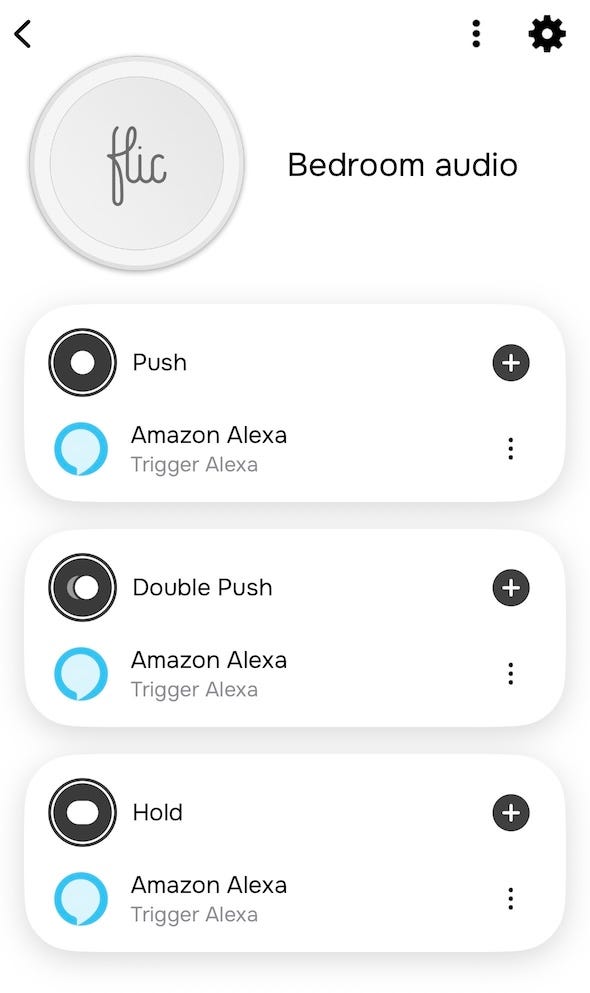
In the Flic button settings I have mapped a button’s all action to Amazon Alexa:
Radio streams configured to an Amazon Alexa skill “My Pod”
In the Amazon Alexa app I have added an Amazon Alexa skill “My Pod” by avasoft.co.uk to my Alexa’s skills.
Then, with a browser, one can go to https://mypodapp.com/, login with the Amazon account, go to Playlists, create a playlist “Links” and then add each stream URL as a link there. As an example, I have defined
- https://stream.radiohelsinki.fi/, Radio Helsinki
and will get an Alexa Shortcut “Ask my pod to play Radio Helsinki”.
Amazon Alexa routine to connect the button presses to ask the “My Pod” skill to play
I have added a routine for each button action to run the skill as if I talked to Alexa, and the long press to stop.
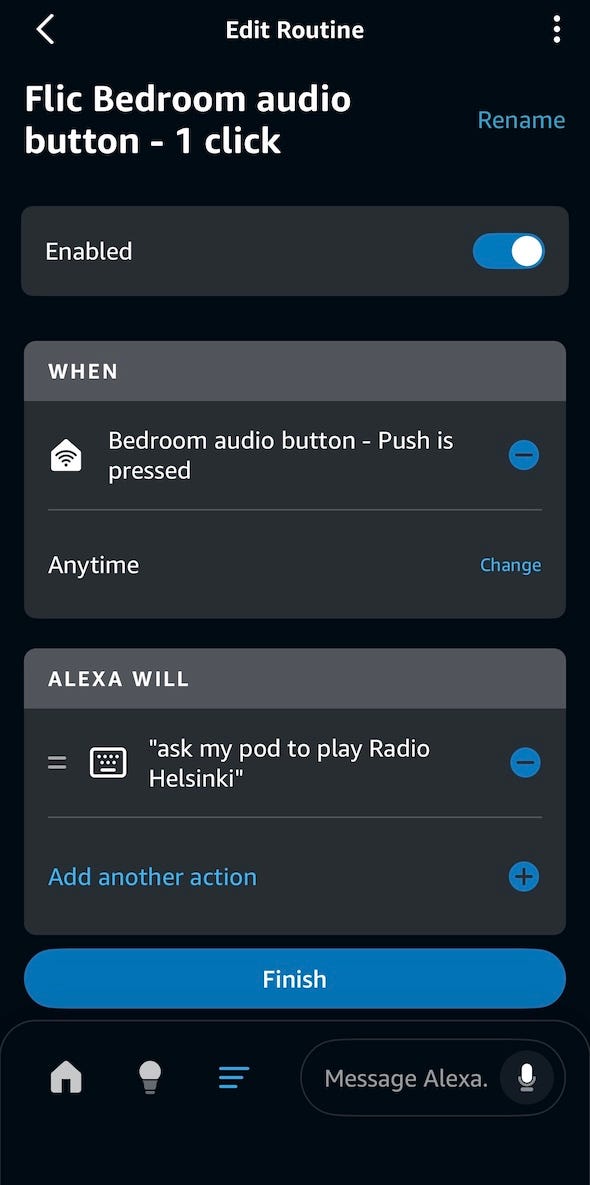
A routine to start playing the stream
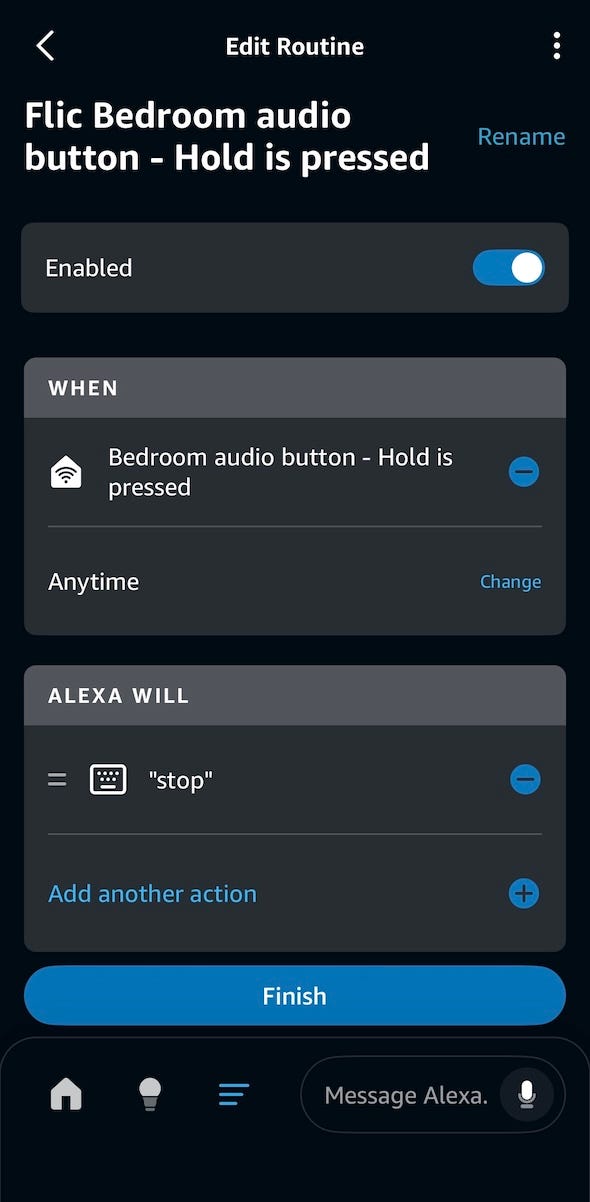
A routine to stop playing
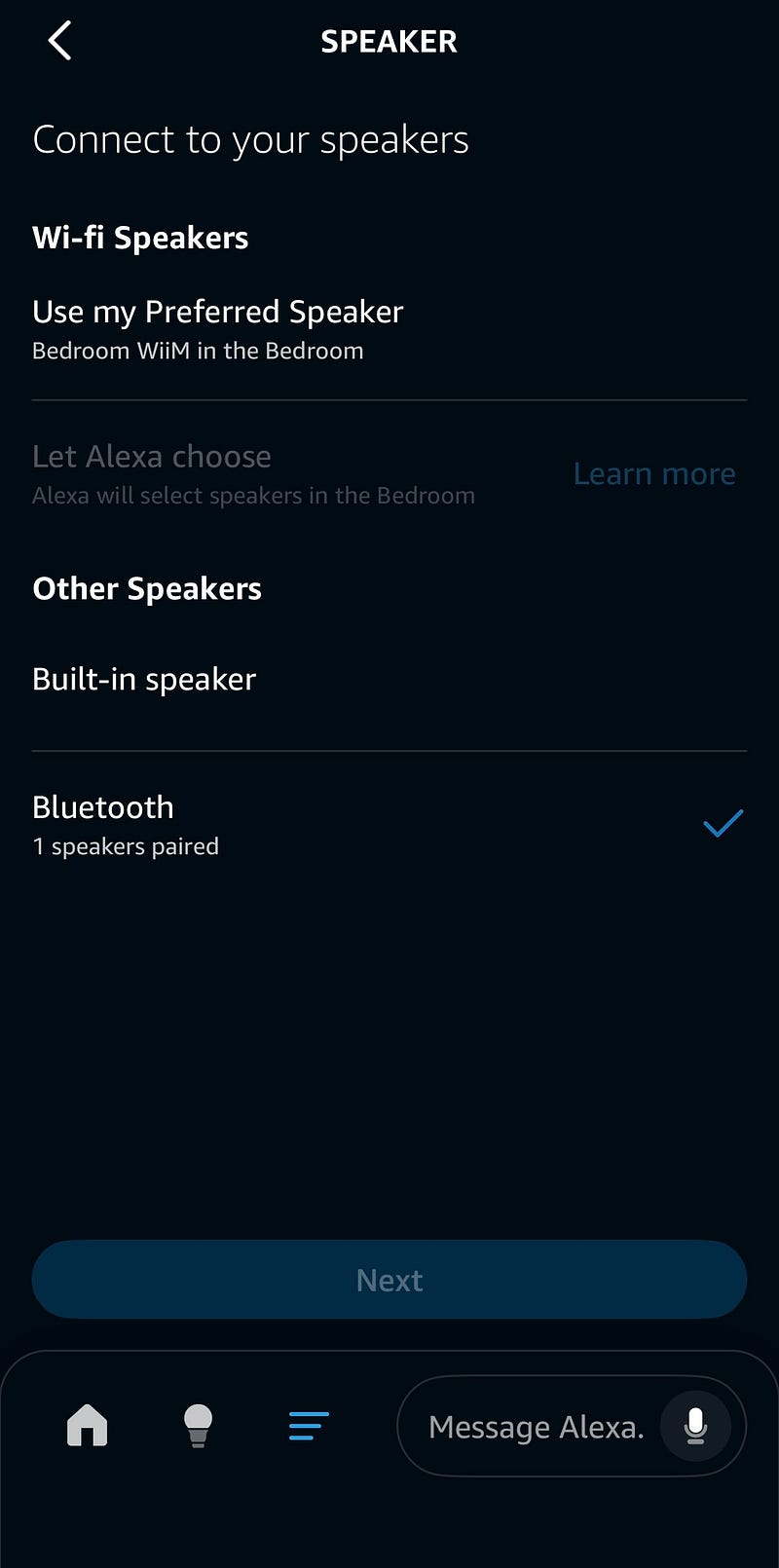
Connecting Alexa to the Wiim Pro streamer
Finally, I have connected the Alexa device to my Wiim Pro streamer, so Alexa will use that to play the streams.
Conclusion
By combining this setup, only a single click is needed to start playing the stream and a long press will stop it. The integration works reliably.