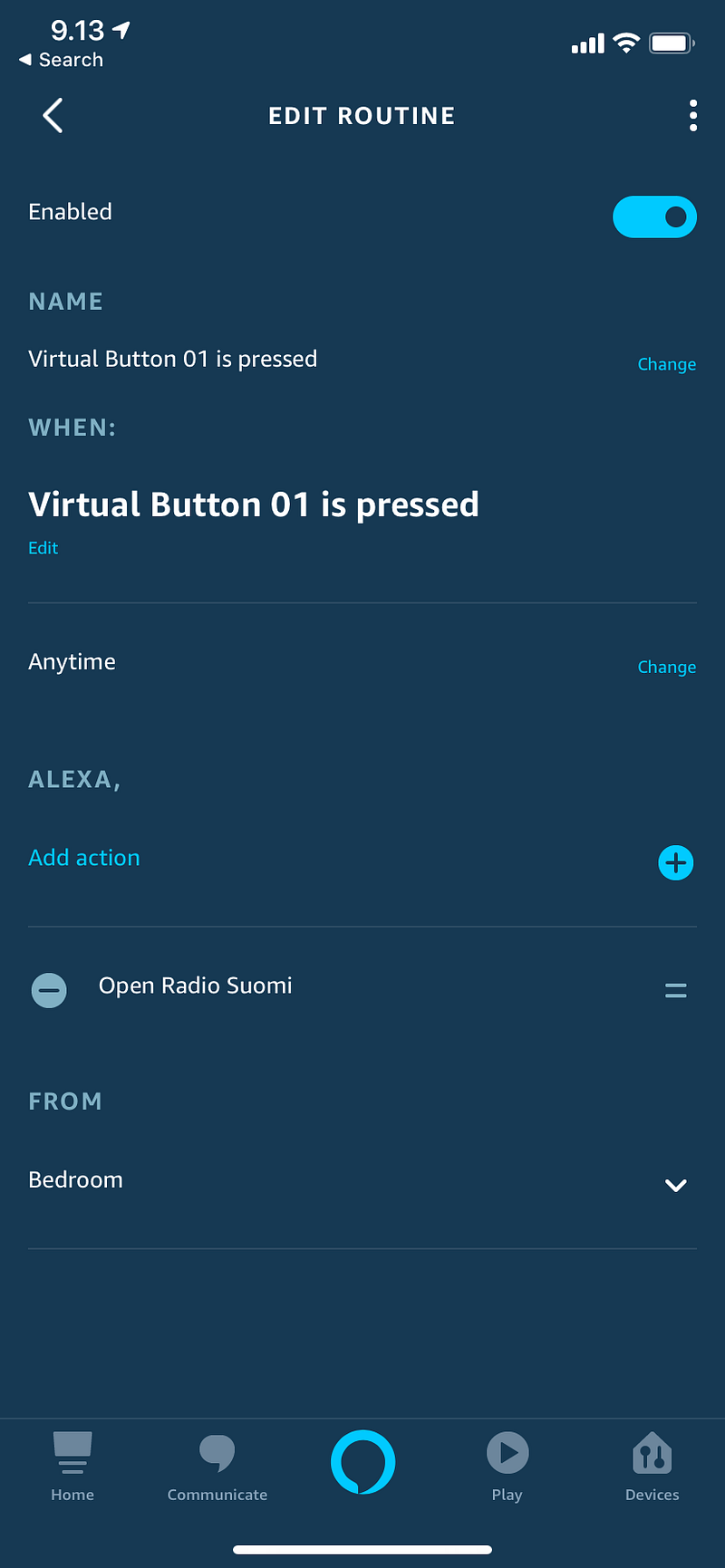
It’s a little tricky to start an Alexa routine from a Flic button. But there is a way.
- Go to https://www.patreon.com/VirtualButtons and create a free account.
- Open the Alexa app on your mobile phone and add Skill “Virtual Buttons”. Login with the Patreon account to authorize.
- You’ll get an e-mail with a unique (long) URL that starts with https://api.virtualbuttons.com.
- Open the Flic mobile app, configure the button with action “Internet Request”, copy and paste the URL there.
- Open the Alexa app and configure a routine that starts when the Virtual Button 01 is pressed.
First Virtual Button is free. You’ll need 3 of those per Flic button if you want to map single click, double click and long press as different Alexa actions. Five Virtual Buttons cost $2/month.
It is expected that now when the Amazon Echo APIs support starting of routines programmatically, Flic will eventually add support for them, and IFTTT probably too.